
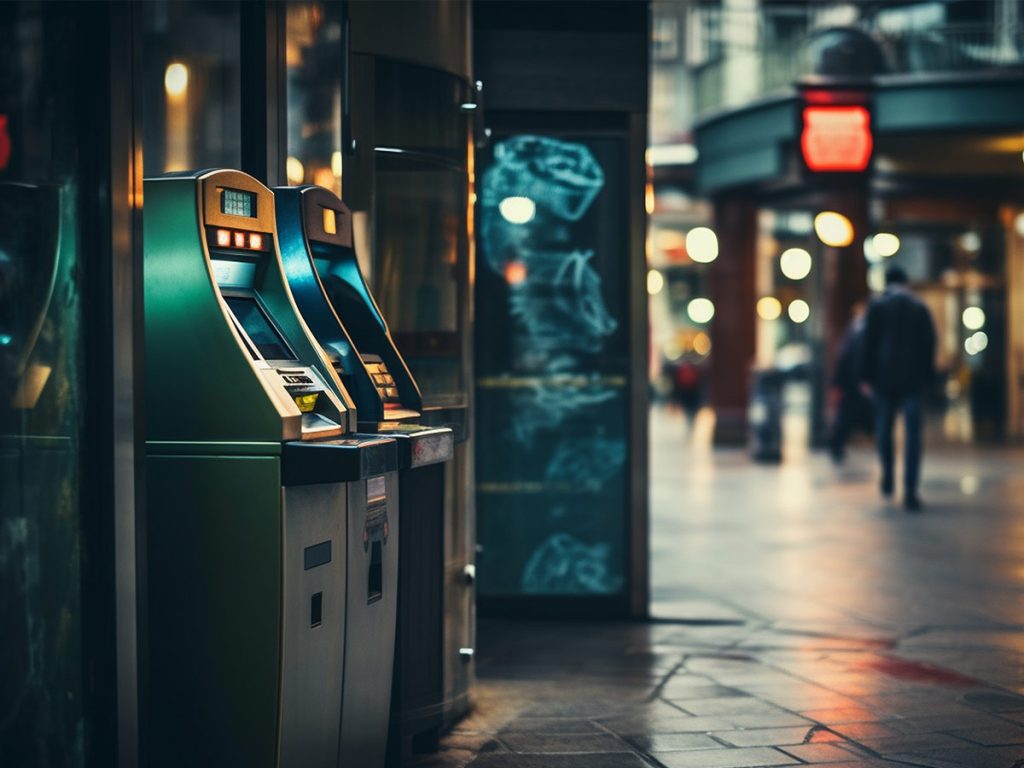
Most of us have heard of skimming, a method where criminals rig ATMs to steal your card information literally right from under your nose. But did you know that digital skimming also exists? This article explains all you need to know about traditional, digital, and RFID skimming — and how Avira Free Security can help you protect yourself from data theft.
What is skimming?
Skimming is the unauthorized capturing of credit and debit card data, whether through tampered ATMs and card readers (POS terminals) or compromised online shops. In traditional forms of physical skimming or shimming, scammers aim to capture your PIN as well as the data stored on your card — either from the magnetic stripe (skimming) or the EMV chip (shimming). That’s because both the magnetic stripe and EMV chip contain a lot of important information such as the card number (PAN — or primary account number), expiry date, and sometimes also the cardholder’s name. These can then be copied onto the magnetic stripe of a counterfeit card or — in the case of credit cards — used for online payments. By contrast, your PIN and card verification value (CVV/CVC) are stored neither on the magnetic stripe nor on the chip.
In the case of RFID skimming, the data is captured wirelessly from NFC-enabled cards. With digital skimming, scammers steal credit card data during the payment process in compromised online shops. The potential gains are significantly greater here as the scammer can not only intercept credit card numbers and expiry dates but also card verification numbers, names, and other personal data (such as addresses, email addresses, and telephone numbers). The scammers can then go on an online shopping spree, take out subscriptions, sell your data on the dark web, or even steal your identity.
Traditional skimming and shimming
Physical skimming involves capturing information from the magnetic stripes of credit or debit cards (such as Visa/Mastercard Debit) and recording the entry of PIN numbers with rigged ATMs or card readers. The data thieves can then create duplicate cards and use them together with the PIN to pay or withdraw money — but not within the EU.
Cards that only have a magnetic stripe no longer work in the EU, as all transactions are now processed via the integrated EMV chip. Unlike the magnetic stripe, this chip contains not only static data but also cryptographic keys, which are used to generate dynamic codes for each transaction and which cannot be read. Outside the EU, however, ATMs and card readers haven’t yet been fully converted to EMV, so the magnetic stripe still partially functions as a fallback.
Shimming is the successor to traditional skimming, representing the cybercriminals’ response to the industry-wide shift toward EMV security where they try to intercept the static data stored on the EMV chip. Since the chip is encrypted and cannot be copied, scammers usually use the stolen data for online scams or to create simple magnetic stripe copies for outdated card readers and ATMs that still accept cards with magnetic stripes.
Skimming devices
The following skimming devices, or skimmers, can be used to skim cards at ATMs or card readers:
- Top-mounted skimmer: With this method, scammers place a card reader in front of the card slot and use it to capture the information stored on the card’s magnetic stripe.
- Shimmer: This is the modern version of the top-mounted skimmer, namely a thin, flexible skimming module installed directly in the card slot so it isn’t visible. It intercepts and records the communication between the EMV chip and the reader.
- Hidden mini cameras: These are usually located in a strip above the keypad or in the privacy shield at ATMs and record you entering your PIN.
- Keypad skimmer: Thin attachments are fitted precisely onto the keypad, capturing everything you enter — including your PIN. The data is either stored electronically or transmitted to the criminals wirelessly.
Thankfully, most banks try to prevent tampering with their ATMs, equipping them with anti-skimming modules, sensors, and jammers.
RFID skimming
With RFID skimming, criminals use portable readers or specially prepared smartphones to read the data from NFC-enabled credit or debit cards as they walk by. NFC (Near Field Communication) is an international transmission standard based on RFID (Radio Frequency Identification) technology for contactless data exchange over short distances. Since the EMV chip of modern contactless payment cards is activated by the magnetic field of a reader as soon as it comes near a reading field, information can be accessed without physical contact with the card.
Thankfully, though, EMV standard still provides robust protection. Since the cryptographic keys and the card verification number or PIN required for payments are not transmitted, this renders stolen data virtually useless. Scammers mainly use the credit card details (like the card number and expiry date) they’ve obtained wirelessly to make purchases in non-secure online shops that don’t ask for the card’s CVV/CVC or don’t use two-factor authentication (2FA).
Furthermore, the scammer’s reading device must be in close proximity of the card, that is, within a few centimeters or inches. On top of that, when multiple NFC-enabled cards are kept together in a wallet, they can interfere with each other and block contactless signals.
Handy hint: With services like Apple Pay or Google Pay, a separate virtual device account number (DAN) is generated for each card stored in the wallet, which is encrypted and stored on the mobile device. For payments (both contactless and online), a payment token based on the DAN is transmitted instead of the actual card number. The data is only transferred after you unlock your device using a form of biometric approval (a fingerprint or face scan) or entering your device PIN. This makes it practically impossible for someone to secretly read your data just by passing by.
If you’d like to learn more about skimming fraud with NFC cards, check out our article.
Digital skimming
Digital skimming is a type of attack where payment data is secretly captured on ecommerce websites, leading to a data leak. It is a type of cybersecurity threat that also goes by the names of web skimming, e‑skimming, online skimming, formjacking, or a Magecart attack. The initial three terms refer to the type or location of the event, whereas formjacking refers to the most commonly used technical method.
By contrast, Magecart has a historical background. It comes from the open-source platform “Magento” and the term “shopping cart”. This online shop software was a major target of a hacker group that, from 2015 onwards, compromised many well-known online retailers using formjacking attacks. That’s why both the group and this type of attack are called Magecart, although today all kinds of ecommerce platforms can be affected. In short, any website that accepts online payments is a potential target for digital skimming attacks.
Infection routes and attack methods
Online shops are compromised by injecting malicious JavaScript code. This captures users’ credit card details in real time, sending them to a server controlled by the attacker.
The attackers exploit various entry points to achieve this, in particular:
- Vulnerabilities in the web application: The malicious code is integrated into the website and executed in the user’s browser through techniques like cross-site scripting (XSS) or the exploitation of other vulnerabilities.
- Supply chain attacks: With these attacks, the malicious code is injected into the website via infected third-party scripts (such as chat widgets or libraries) and is then delivered to the user’s browser.
Attackers use various techniques to intercept customers’ credit card data regardless of how the malicious code enters the shop.
- Formjacking: Hackers use this method to inject malicious JavaScript code directly into an online shop’s payment form.
- Redirecting to a malicious form: In this scenario, attackers manipulate the checkout process of compromised online shops, redirecting customers to a highly convincing external payment page during checkout. The card data entered there is intercepted before the user is redirected back to the legitimate shop.
- Inserting a malicious form: Attackers inject a fake payment form into online shops that dynamically load payment forms from a service provider as they don’t have their own. The entered card details are sent directly to the attackers without the user ever leaving the shop page.
Data theft through malware and malicious apps
Besides digital skimming, there are other technical techniques that scammers can use to get their hands on payment details.
- Memory scraping malware/RAM scrapers: In this case, criminals infect card readers with malware. This software specifically searches the cash register’s memory for payment data that is briefly processed in plain text during the payment process and “scrapes” it. Since modern terminals typically encrypt data directly within the reader (point-to-point encryption), this method is mainly used in older systems or insecure setups where there is a delay between when the card data is read and when it is encrypted.
- Keylogging: Keyloggers record all your key presses to steal your sensitive information like passwords, PINs, or account details. The malware usually gets installed on a device through malicious attachments, manipulated software updates, or infected downloads.
- Manipulated apps: These are legitimate apps that have been infected with malicious code through compromised updates or vulnerabilities. The fake apps work as usual while secretly harvesting sensitive data such as login or payment information behind the scenes.
How to avoid skimming scams
These tips will help you protect yourself not only from physical and digital skimming but also from other cyberattacks on your payment data:
- Watch out for unusual objects or anything that looks suspicious on ATMs — and always cover the keypad with your hand when entering your PIN.
- Check your bank statements regularly for unusual transactions.
- Use ATMs located inside the bank rather than outside as these are monitored by cameras, regularly checked by staff, and scammers can’t easily install skimming devices there unnoticed.
- Use special NFC protective sleeves or wallets with integrated RFID blockers to physically shield the radio waves from NFC-enabled cards and prevent RFID skimming.
- Preferably use services like PayPal, Apple Pay, or Google Pay when making online payments as they don’t transfer your credit card details to the retailer.
- Turn on transaction alerts in your banking app. You’ll then receive push notifications for all account activity — allowing you to quickly spot suspicious transactions and take immediate action.
- When making online payments, make sure you are not on a fake website. Always check the website address carefully before entering your payment details on a website.
- If you are paying online by credit card, never save your payment details in your online account. Although this doesn’t protect against digital skimming, it minimizes the risk of your data falling into the wrong hands if the retailer suffers a data leak.
- Never use public Wi-Fi hotspots for online transactions as cybercriminals can use them to steal your card data such as through man-in-the-middle attacks.
- Get clued up about common scans by taking a look at our article on online banking scams.
What should you do if you’ve fallen victim to a skimming scam?
If you notice any unusual payments, debits, or withdrawals and suspect you may have fallen victim to a skimming scam, contact your financial institution immediately. Get your card blocked and report the incident to initiate a chargeback. You should also file a police report even if the amount involved is relatively small.
Protect yourself from data theft with Avira Free Security.
Avira Antivirus Security can help you improve the protection of your financial data and other sensitive information. In addition to antivirus and download protection, the cyberprotection solution includes Avira Browser Safety to block infected websites and phishing sites since phishing attacks often target your payment information.
Avira Free Security also includes a VPN which encrypts your data traffic on public Wi-Fi hotspots, enhancing your security when transmitting sensitive information when banking or shopping online. In addition, you can use the password manager to protect your various online accounts with unique passwords and generate two-factor authentication codes.