
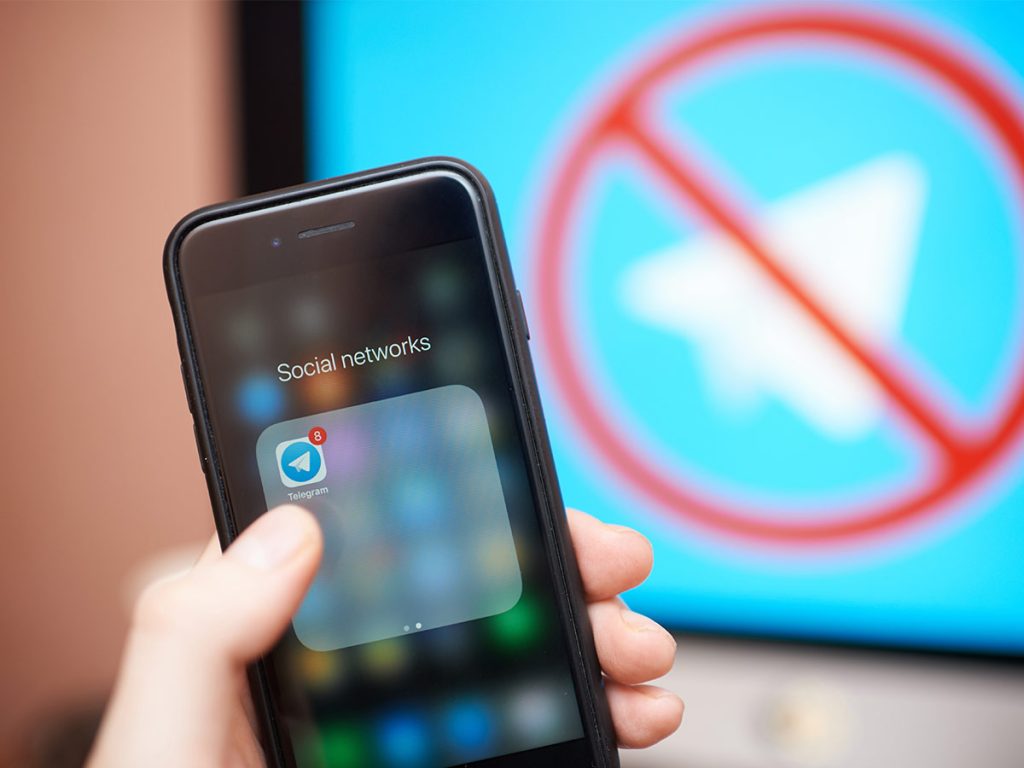
Telegram is one of the world’s most popular messaging apps with over 700 million active users. But how secure is the platform really? Perhaps you already use the app but are concerned about the privacy of your messages. Or you may be considering whether Telegram is a good alternative to WhatsApp or Signal. Especially when it comes to the security of your communication, you want clarity. How well does Telegram protect your data?
In this article, we take a close look at Telegram’s security standards, highlight risks and provide practical tips on how you can use the platform securely. We also show you alternatives if data protection is particularly important to you. To further strengthen your online security, we recommend using Avira Free Security. This security solution offers comprehensive protection against threats such as malware and phishing, so you can surf the Internet even more securely.
The key points in brief: How safe is Telegram?
Telegram is versatile and popular, but not as secure as many believe. Standard chats are only encrypted server-side, while secret chats must be manually activated. Additionally, the app stores metadata that can provide insights into your communication habits. While Telegram offers protective features, it is up to the users to activate them and be mindful of the risks.
What makes Telegram special—and why is the app so popular?
Telegram combines the functions of a messenger with those of a social network. It is this mix that sets the app apart from other platforms like WhatsApp or Signal, giving Telegram a reputation as a flexible and versatile messenger.
However, this versatility brings both advantages and disadvantages. Many of the features that make Telegram unique are useful—but they also conceal potential security risks. Therefore, it is important to examine the key aspects of the platform in detail.
Channels and groups: Communication without boundaries
Channels and groups are at the heart of Telegram. In channels, content can be distributed to millions of subscribers, while groups can have up to 200,000 members. This is why community managers particularly favour Telegram.
Telegram channels are especially popular when it comes to the spread of political content. During the 2019 Hong Kong protests, activists used Telegram as the main platform for organisation, as the app supported larger groups than WhatsApp and offered a degree of anonymity.
However, this same openness also allows channels to be used for illegal activities such as the sale of stolen data, forged documents, or disinformation campaigns.
The content in groups and channels is not moderated, which sets Telegram apart from other platforms. While Facebook and X have also abolished their fact-checking, other users can still flag false claims in a more visible way. This lack of control on Telegram makes it difficult to prevent abuse.
Cloud-based storage: Convenience at the cost of security
Telegram stands out from other messaging apps due to its cloud storage. All standard chats and media content are automatically stored on Telegram’s servers and protected with server-side encryption.
This means you can access your messages from any device at any time. This feature is particularly useful if you regularly switch between smartphone, tablet, and desktop and want to easily transfer files.
However, this convenience comes with potential trade-offs. Since standard chats are not end-to-end encrypted, Telegram retains technical access to message content stored on its servers. While the company states that its infrastructure is protected by modern encryption technologies, centralised data storage may still be vulnerable to targeted attacks or government requests. For users who place a high value on confidentiality, it is important to note that only Telegram’s “Secret Chats” offer end-to-end encryption – and these are not available for group chats or multi-device access.
Secret chats: More security, but limited functionality
Secret chats are one of the key security features of Telegram. They use end-to-end encryption, meaning that only the devices of the sender and recipient can read the messages.
These chats are not stored in the cloud but only locally on the devices of the communication partners, which further enhances security.
However, secret chats must be manually initiated, something many users are unaware of. Another downside is that messages in secret chats are not synchronised. This means you cannot access these chats if you use a different device.
Telegram bots: Automated helpers or security risks?
Another popular feature of Telegram is the bots. Bots are automated programs that can respond to requests or perform specific tasks. They make Telegram particularly attractive for many use cases:
- Practical applications: Bots can provide information such as weather forecasts, news, or currency exchange rates. Some bots allow users to conduct polls or receive automated reminders.
- Interactivity: Many groups and channels use bots to engage members, for example, through games or quizzes.
- Business and services: Companies use bots for customer service or automated orders. This makes Telegram a versatile tool for business communication.
However, not all bots are harmless. Cybersecurity experts have observed a sharp increase in Telegram-based scams where attackers use fake verification bots and group invites to distribute malware. These tactics have become especially widespread in the crypto space, where users are lured into installing malicious software or providing sensitive information. According to findings published in January 2025, based on research by Scam Sniffer, such malware scams on Telegram surged by over 2000% within just two months.
Only use bots from trusted sources and carefully check the permissions they request. Avoid bots that ask for suspiciously large amounts of information.
Is Telegram really secure? An analysis of privacy measures
Telegram is often marketed as a secure messenger, but a closer look reveals vulnerabilities that should be critically assessed, even by technically savvy users.
Standard chats: Limited encryption and centralised storage
Most users use Telegram’s standard chats without realising that they are not end-to-end encrypted. Instead, communication is only encrypted server-side. This means that messages are decrypted and re-encrypted on Telegram’s servers before being sent to the recipient.
This architecture poses two major risks:
- Telegram itself could access your messages, whether through an internal error or government pressure.
- If Telegram’s server infrastructure is compromised, all stored messages would be at risk.
Secret chats: Secure, but impractical for many users
In contrast to normal chats, secret chats offer real end-to-end encryption. This means that only the communication partners can read the messages—not even Telegram itself.
However, there are limitations:
- Secret chats are only available between two people, not in groups or channels.
- The manual activation makes them less intuitive for many users.
Additionally, messages can be given a self-destruct timer. This is particularly useful if you want to share sensitive information that shouldn’t remain permanently stored on the recipient’s device.
Conclusion: While secret chats offer a high level of security, most users stick to the less secure standard chats due to a lack of knowledge.
Risks of using Telegram
Telegram offers many useful features but also comes with specific risks. The combination of anonymity and lack of moderation makes the platform vulnerable to misuse.
Misinformation and disinformation campaigns
One major issue is the spread of fake news and conspiracy theories on Telegram. The app is often used to share content that would be removed or restricted on other social media platforms.
A prominent example is the COVID-19 pandemic: Telegram channels became a central hub for false information about vaccines, medical measures, and alleged conspiracies. This not only led to confusion but also had real consequences for public health and safety.
Metadata: An invisible risk
Even though Telegram encrypts your messages, the app stores personal data such as your phone number, IP address, and contacts. This data could be used to identify patterns or track movement profiles.
In authoritarian countries, this poses a significant risk, as authorities could exploit such information for user surveillance.
Even in safer countries, the centralised storage of this data remains a security concern in the event of a potential cyberattack.
Malware and dangerous links
As with other messaging platforms, hackers and scammers use Telegram to spread malware – often through phishing links or compromised bots shared in groups or private chats.
A single click on a suspicious link can lead to your data being stolen or your device becoming infected.
How to use Telegram safely
Despite its weaknesses, you can use Telegram securely by taking the right precautions and handling the app with awareness.
Enable two-factor authentication: Protect your account
Two-factor authentication (2FA) adds an extra layer of security, preventing attackers from taking over your account. Here’s how to activate 2FA on Telegram:
- Open Settings and select Privacy and Security.
- Click on Two-Step Verification and set up an additional password.
Normally, you only receive a SIM code when logging in on a new device. With 2FA, you will also be asked for the password you created.
Enabling 2FA significantly strengthens your account’s protection against phishing attacks.
Alternatives to Telegram: What is more secure?
If you prefer not to use Telegram or are looking for a safer alternative, there are secure messaging apps that prioritise privacy.
Signal: The top choice for privacy
Signal is open-source and considered the most secure messaging app. All chats are end-to-end encrypted by default, and the app does not store metadata. Additionally, messages are stored only locally on your device, not in the cloud.
Best for: Users who prioritise maximum security and privacy.
Threema: Anonymous and data-efficient
Threema is a Swiss messaging app that does not require a phone number for registration. Messages are stored locally only, and all data is transmitted anonymously.
Best for: Users who want to keep their personal data completely private.
WhatsApp: Widespread use with privacy concerns
Although WhatsApp offers end-to-end encryption by default, the app stores metadata and is closely integrated with Meta’s (formerly Facebook) services.
Privacy concerns aside, WhatsApp scams in various forms are a risk on the platform—but you can protect yourself effectively with our tips.
Best for: Users looking for a widely used platform with solid encryption.
Is Telegram secure—and what can you do?
Telegram includes a range of features and supports various communication formats. However, based on the issues outlined above, there are concerns that the platform may have limitations in terms of privacy and security. Standard chats are not end-to-end encrypted, and the platform’s openness makes it vulnerable to misuse.
Nevertheless, the app remains a popular choice due to its user-friendly design. With some precautions, you can use Telegram securely and reliably.
What you can do:
- Enable secret chats for private and sensitive conversations.
- Protect your account with two-factor authentication.
- Be cautious when interacting with bots and groups.
- Use additional tools like Avira Free Security with an integrated VPN and password manager to safeguard your data.
If strong privacy is your top priority, alternatives like Signal, WhatsApp, or Threema may be a better choice. Security starts with you – by taking the right steps, you can likely use Telegram in a more safe and privacy-conscious way.
Telegram is a trademark of Telegram FZ-LLC.